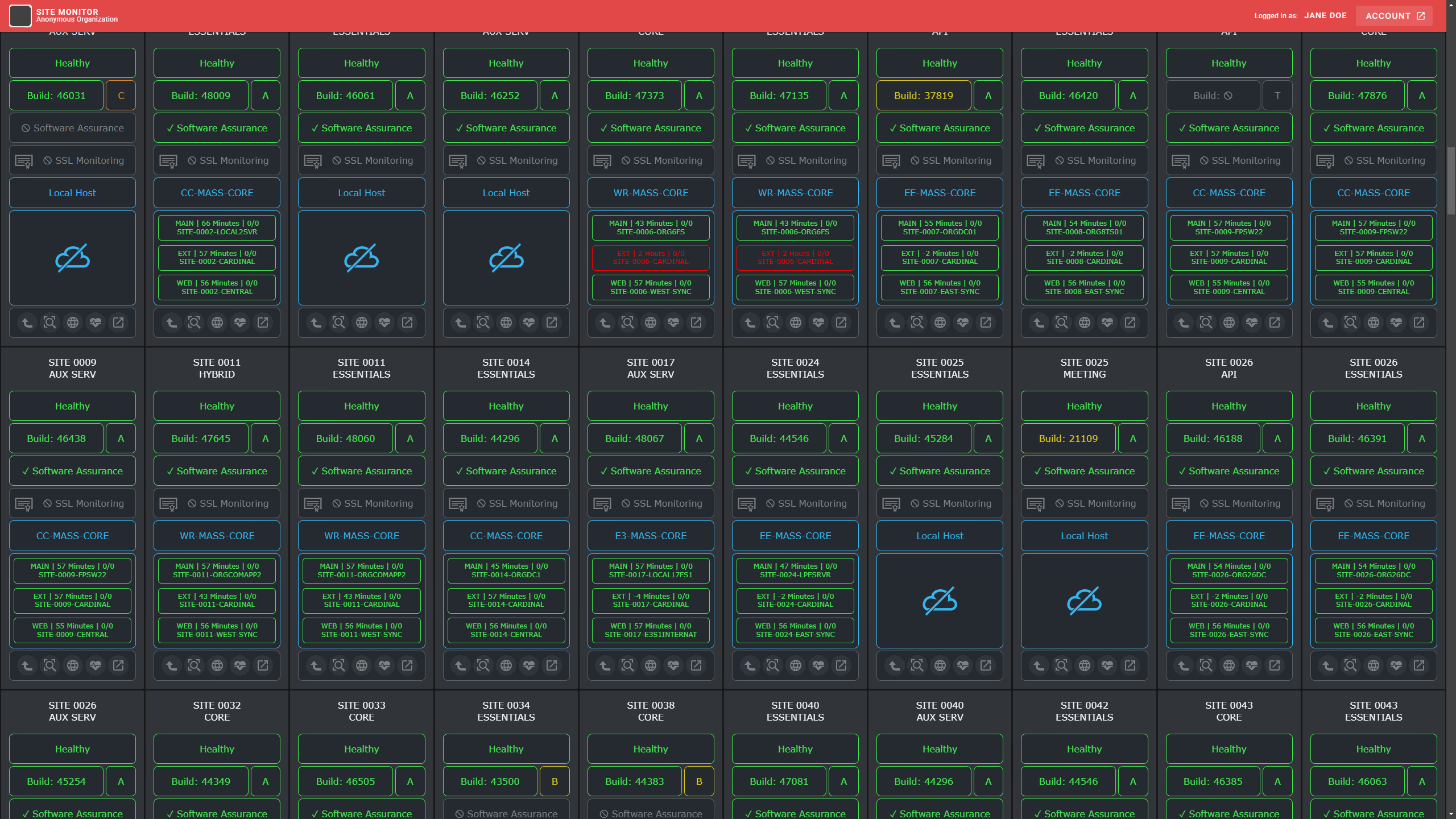
Web-Based Monitoring Interface
Full stack web development project for an employerMy employer at the time needed a web-based interface for monitoring the status of their servers and services for their clientele. I was tasked with creating a user-friendly dashboard that displayed real-time data and alerts.
At first, there was an old Delphi API that I used during the front-end developement, however I later replaced that with a .NET powered API.
The project used light amounts of Vue 2, and later updated to Vue 3, so that I could learn the frameworks, and heavy amounts of custom made components made with raw HTML, CSS, and JavaScript.
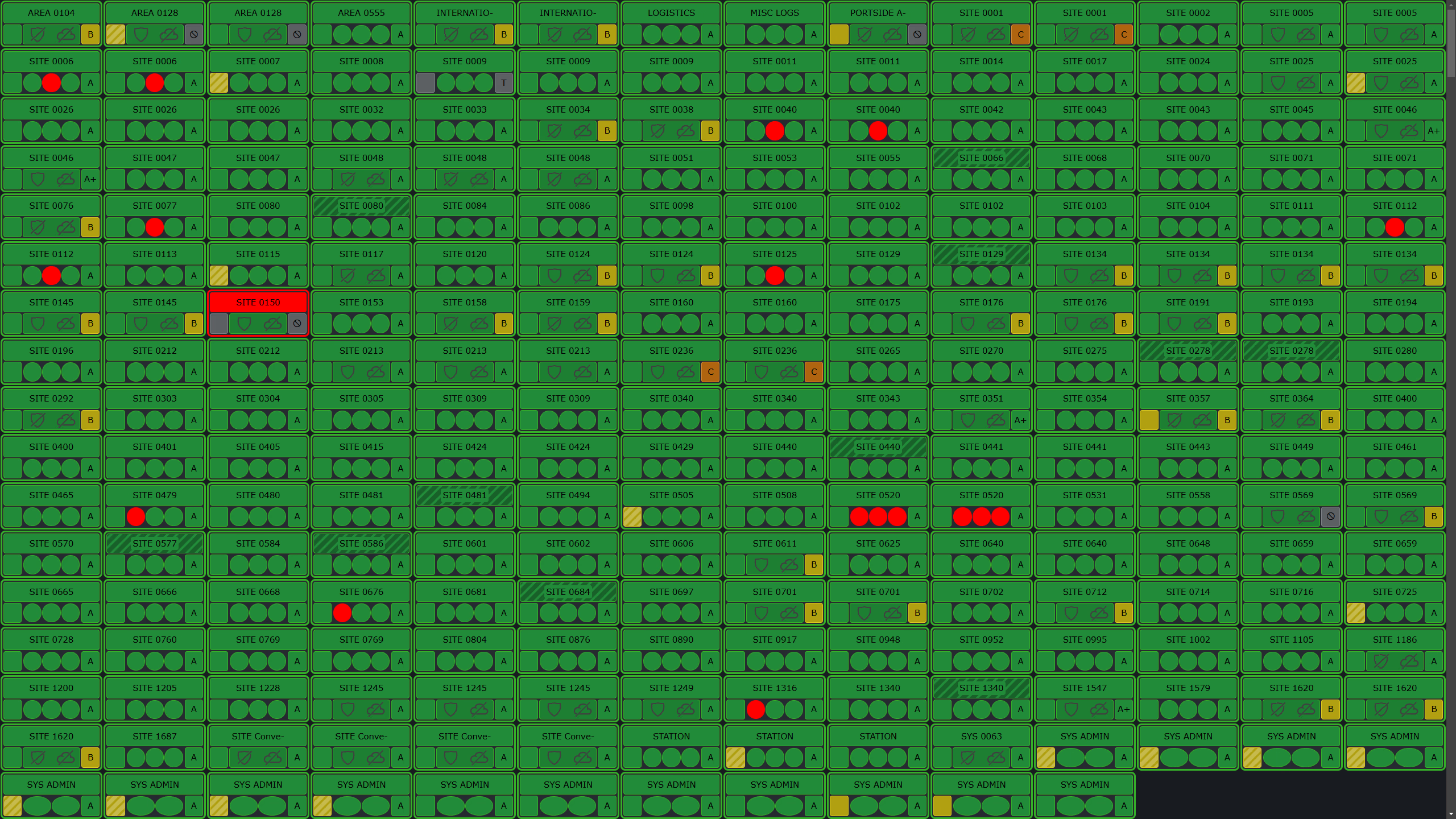
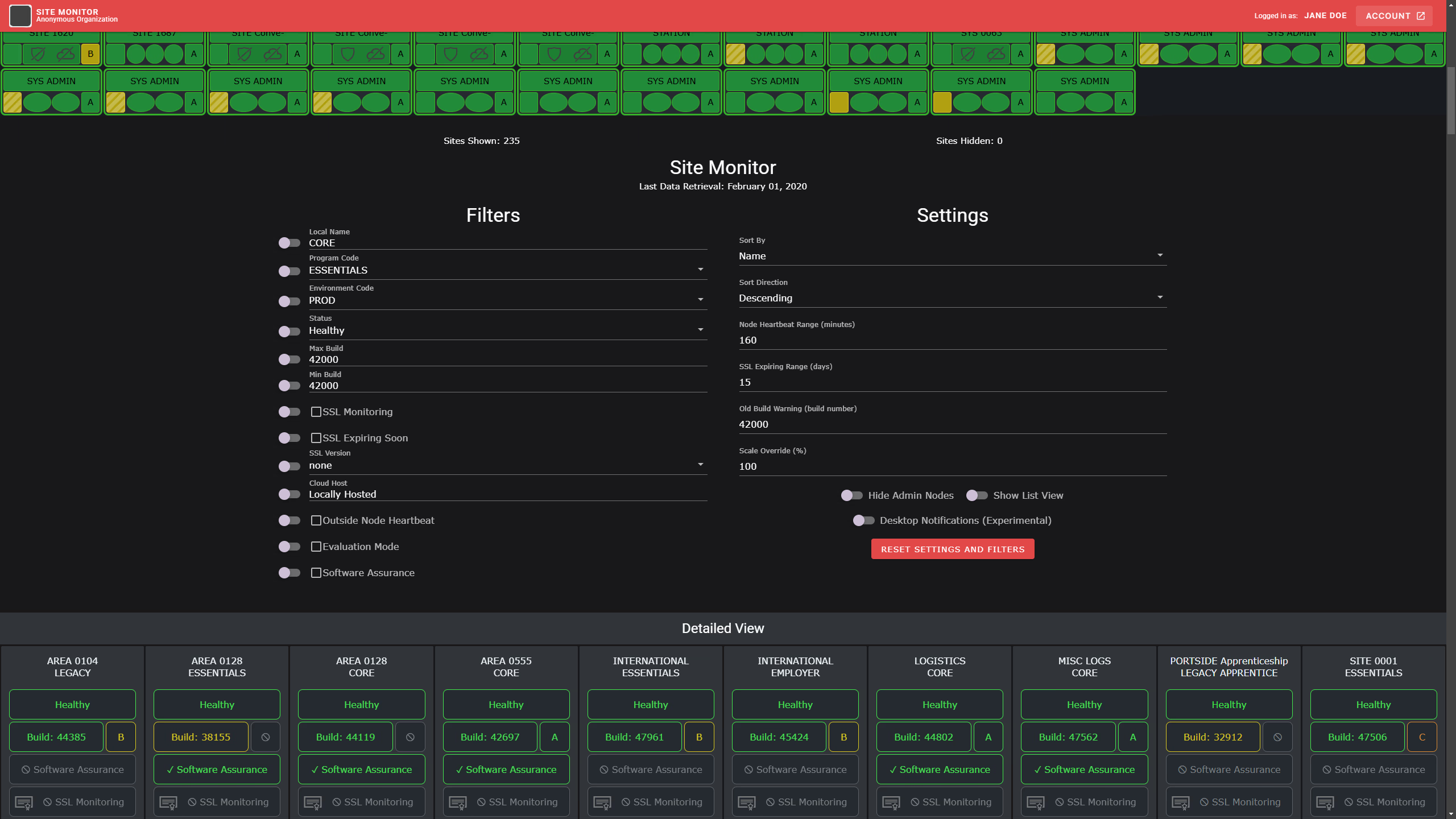
The settings form, title bar, and footer are all powered by Vuetify, however everything else in terms of the grid of tiles was made by me from scratch with raw HTML, CSS, and JavaScript. I am very proud of that because the math to make the tiles fit cleanly on the screen was very difficult. They needed to be small enough to fit in the screen, but large enough to fill the gaps. I'm also happy with how the UI design turned out, allowing for as little visual noise as I could get, while still delivering needed information.
Clicking on a tile brings up another page that displays more information about the service including the history of the service, and a list of actions that can be taken on it. Major warnings have flashing animations.
The entire interface is responsive and works on mobile devices, including different 'graphics modes' for varying screen sizes. The smallest completely removes text and only shows shapes. Tooltips are provided when hovering over the tile parts to give more information when needed.
The HTML passes W3 validation services, and the CSS is compliant with W3 standards.
Later on, I implemented OAuth 2.0 for secure login and user management, allowing for the interface to only be accessed by authorized users.